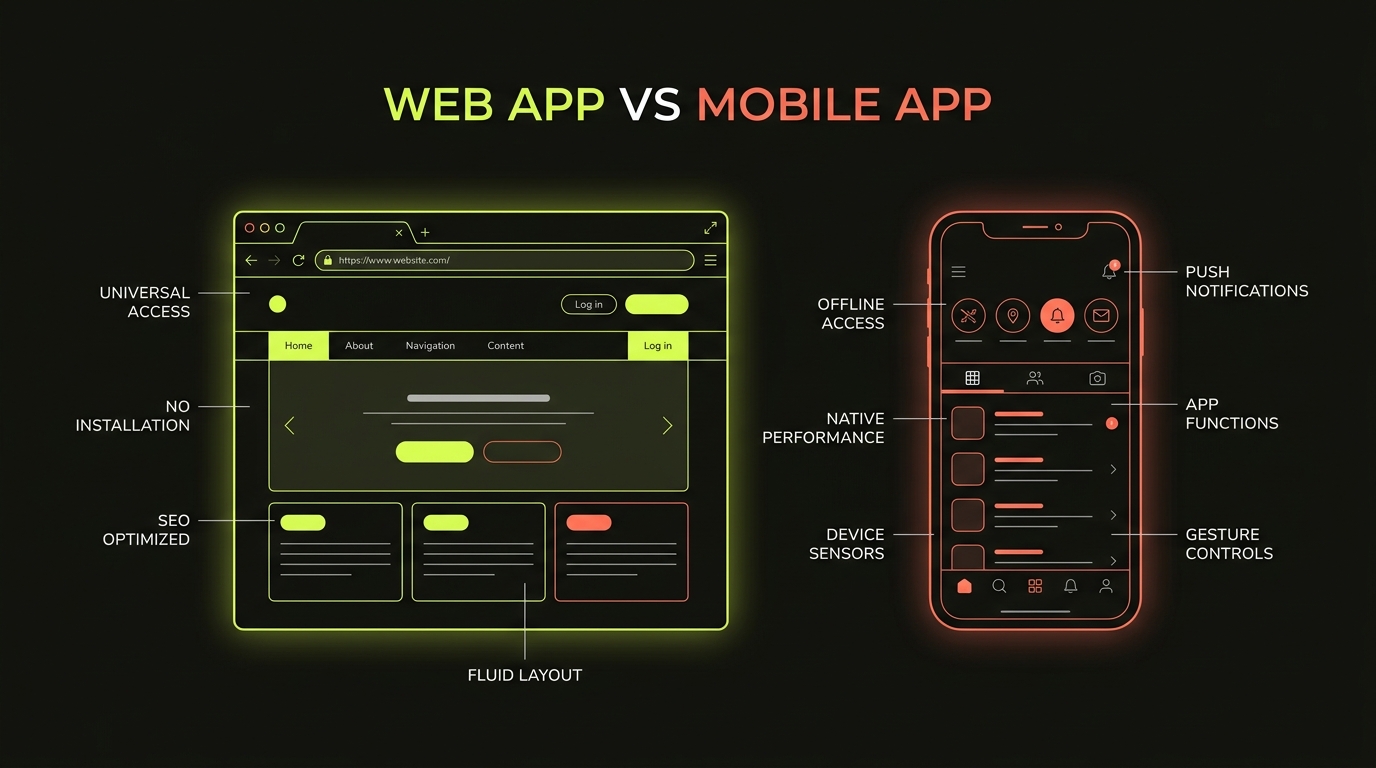
"Should we build an app?" is one of the most common questions early-stage product teams ask. Usually they mean a native mobile app — something on the App Store. And often, after five minutes of conversation, it becomes clear that what they actually need is a web app.
This matters because the choice affects cost, timeline, ongoing maintenance and ultimately whether your product succeeds with users. Here's how to make it clearly.
What is a web app?
A web app runs in a browser. Users access it via a URL — no installation, no app store, no review process. Modern web apps can look and feel indistinguishable from native apps, can work offline (with service workers) and can send push notifications on most devices.
Examples: Notion, Figma, Linear, most SaaS dashboards, booking systems, internal tools.
What is a native mobile app?
A native app is installed from the App Store (iOS) or Google Play (Android) and runs directly on the device's operating system. It has full access to device hardware: camera, GPS, Bluetooth, biometric authentication, push notifications and offline capabilities.
Examples: Instagram, Uber, banking apps, fitness trackers.
Decision Rule: Web vs Native
If your users access the tool primarily from laptops/desktops or via quick links, start with a Web App. If your product relies on camera, offline sync, GPS tracking, or App Store monetization, choose Native or React Native.
The honest comparison
Cost
A web app is built once and works on all devices. A native app historically required two separate codebases (Swift for iOS, Kotlin for Android). Cross-platform tools like React Native reduce this — but native mobile still costs significantly more to build and maintain than a web app delivering equivalent functionality.
Speed to market
Web apps launch faster. There's no App Store review process (which can take days), no device-specific testing matrix and no deployment gatekeeping. For an MVP, this is often decisive.
User experience
Native apps tend to feel more fluid on mobile — smoother animations, better gesture support, faster response. But the gap has narrowed significantly. A well-built progressive web app (PWA) is indistinguishable from a native app for most everyday use cases.
Distribution
App stores provide built-in discovery and trust. If your users expect an app store presence — particularly for consumer-facing products — a native app matters. For B2B tools and internal products, it rarely does.
The Hybrid React Native Advantage
Building with React Native gives you native mobile apps for both iOS and Android from a shared codebase, saving 40–60% of total build cost.
When to choose a web app
- Your product is a dashboard, tool, portal or platform
- Users access it primarily on desktop or laptop
- You're building an MVP and need to move fast
- Your audience is B2B — businesses, not consumers
- Budget is a constraint
When to choose a native mobile app
- Your product relies on camera, GPS, Bluetooth or offline mode
- You need deep integration with device OS features
- Your users strongly expect an App Store presence
- You're building a consumer product where app store discovery matters
The hybrid option: React Native
React Native lets you build a single codebase that runs on both iOS and Android as a native app. It's not quite as performant as fully native for complex animations or heavy computation — but for the vast majority of mobile products, it's an excellent choice that significantly reduces cost and build time.
Building a web or mobile application?
At Battlens, we design and engineer web applications, SaaS platforms, and mobile apps built to scale. Let's discuss your product roadmap.
Explore Web & Mobile App Services ↗