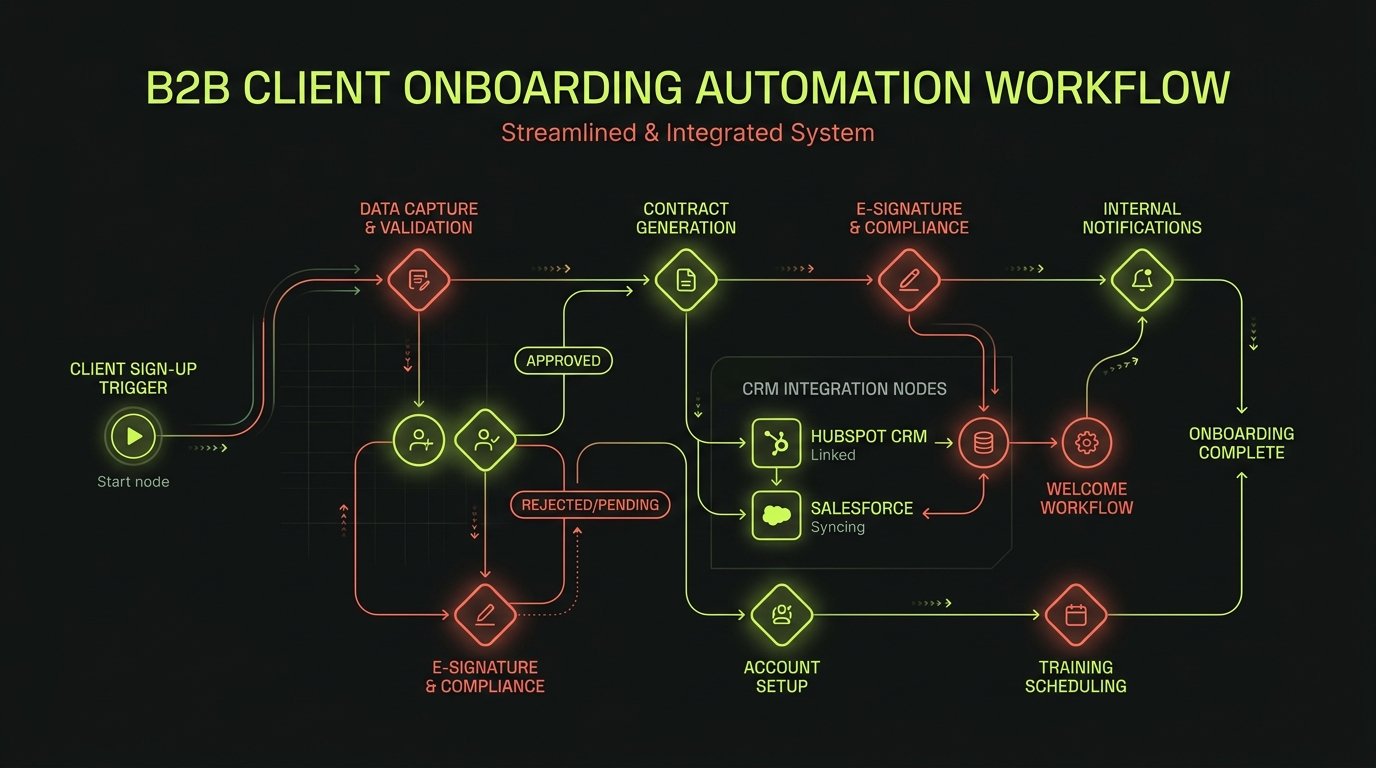
The moment a client signs is one of the most critical moments in your relationship. What happens next — how fast they receive a welcome, how clearly the next steps are communicated, how smoothly the project gets set up — sets the tone for everything that follows.
For most service businesses, that moment is handled manually. And manually means slowly, inconsistently and with a lot of unnecessary back-and-forth.
Here's how to fix it.
What client onboarding automation actually looks like
A well-designed onboarding automation handles everything that happens between "contract signed" and "project started" without anyone on your team touching it. That typically includes:
- A personalised welcome email sent within minutes of signing
- An intake questionnaire to collect project information
- Automatic CRM record creation and deal stage update
- Project folder setup in your project management tool
- A calendar invite for the kick-off call
- A team notification to the relevant account manager
Time Saved per Client
Replacing manual onboarding with an automated workflow typically saves 2–4 hours of administrative time per client signed, while reducing initial kick-off delay from 48 hours down to under 5 minutes.
What used to take 2–3 hours of manual admin now happens in minutes — and feels more professional to the client in the process.
The tools you'll need
You don't need to build anything custom to automate onboarding. These tools cover most B2B service businesses:
- Workflow automation: Make (Integromat) or Zapier
- Intake forms: Typeform, Tally or a custom-built form
- CRM: HubSpot, Pipedrive or Salesforce
- Contract signing: DocuSign or PandaDoc
- Project management: Notion, ClickUp or Asana
- Email: Gmail, Outlook or a marketing platform like Brevo
How to map the workflow
Before you build anything, map your current onboarding process on paper. List every action your team currently takes when a new client is signed. Then mark each step as:
- Automated — the system can handle this without human input
- Triggered — a human action triggers an automated sequence
- Manual — genuinely requires a human (strategy calls, creative reviews)
Most of the "manual" steps turn out to be "triggered" — they only happen manually because nobody's connected the tools yet.
Avoid Over-Automating Personal Touchpoints
Automate logistics, contracts, calendar bookings, and folder setups. Keep strategy kick-off calls and custom review touchpoints personal to build trust.
The most common automation mistakes
Over-automating the human parts is the biggest risk. A welcome email that reads like a robot wrote it, a series of automated check-ins that nobody customised — these erode trust faster than a slow manual response would.
The best onboarding automations are invisible. They handle the logistics so your team has more time for the conversations that actually matter.
Want to automate your business workflows?
At Battlens, we design and build custom business automations and AI chatbot integrations to give your team time back.
Explore Automation Services ↗